
Real interface · Demo mode
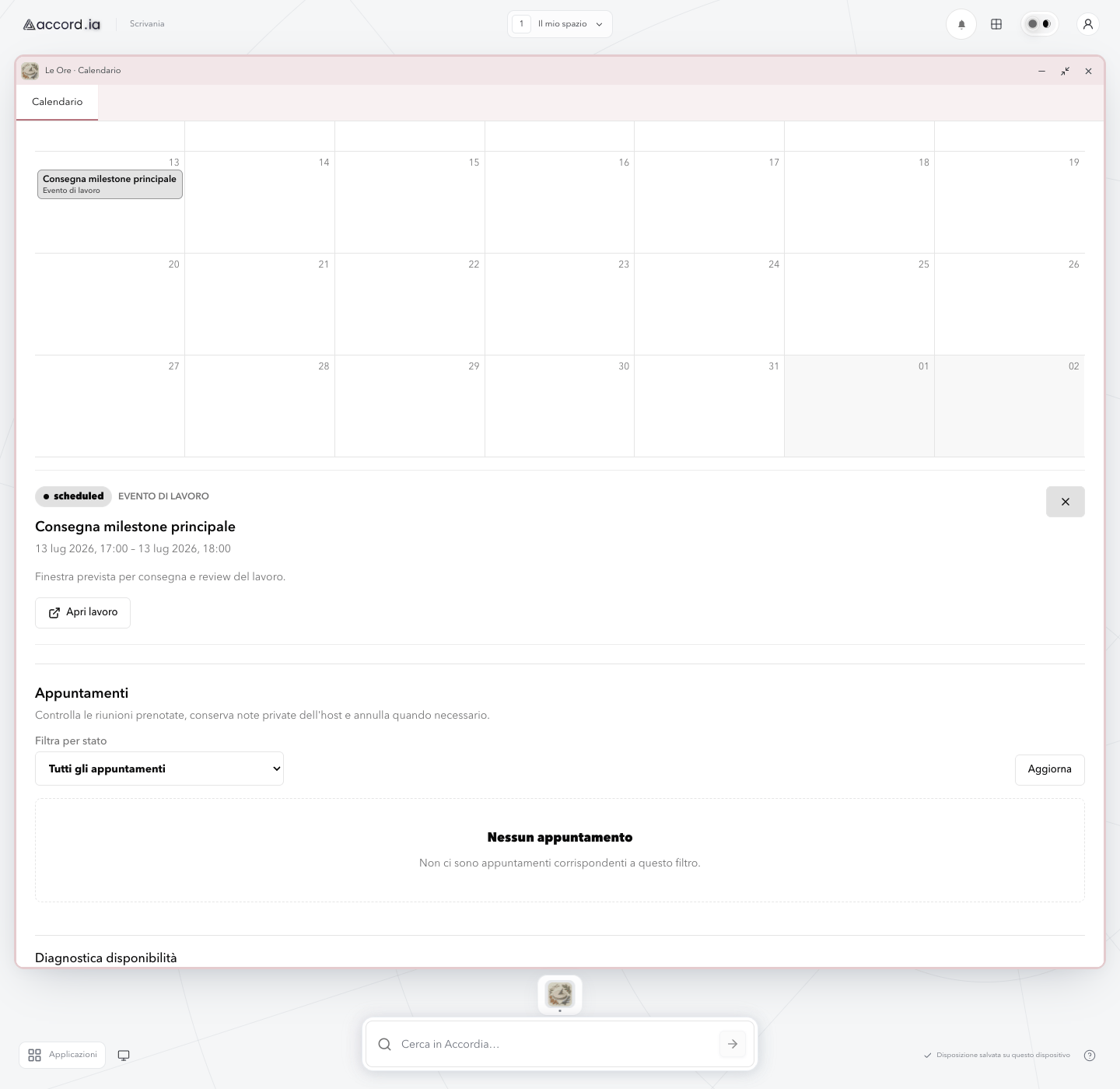
The event detail stays beside the calendar that explains it.
A delivery milestone opens below the monthly agenda without hiding the surrounding commitments.
Real interface · Demo mode
This is a sanitized capture of the real Accord.ia web app in demo mode. The date, milestone, description, and work data are fictional.
Product screen: The event detail stays beside the calendar that explains it.
Product overview
A delivery milestone opens below the monthly agenda without hiding the surrounding commitments.
The selected event becomes a compact, readable record. The professional can confirm what it is, when it happens, and which work it belongs to while the month remains visible.
Continue in the product overviewWhat you can see
The functions shown in this screen
- 01
Inline event detail
The selected milestone opens below the calendar, so the professional keeps the monthly context in view.
- 02
Status and event type
A status badge and the work-event label make the nature of the selected item clear.
- 03
Time and description
The panel shows the milestone title, start and end time, and a short explanation of the delivery window.
- 04
Link to the related work
The “Open work” action provides a direct continuation from the calendar event to its work context.
Three-step flow
How this part of the experience works
- 01
Select the event in the calendar
Choose a labelled milestone from the monthly grid to reveal its detail.
- 02
Confirm status, time, and purpose
Read the scheduled state, time window, and description while the rest of the month stays visible.
- 03
Continue to the related work
Use the dedicated action when you need to move from the milestone to the work it belongs to.
Practical value
Why this view is useful
Context is preserved
Opening a milestone does not replace the calendar, so nearby commitments remain easy to compare.
The important facts are together
Status, timing, purpose, and the path to the related work share one compact panel.
A direct next action
The professional can continue from the event to its work context without having to search for it again.
Accord.ia Calendar
See where event details fit in the complete calendar.
Explore the product overview to understand the broader scheduling and work-context flow.