
Real interface · Demo mode
The professional month, from totals to delivery milestones.
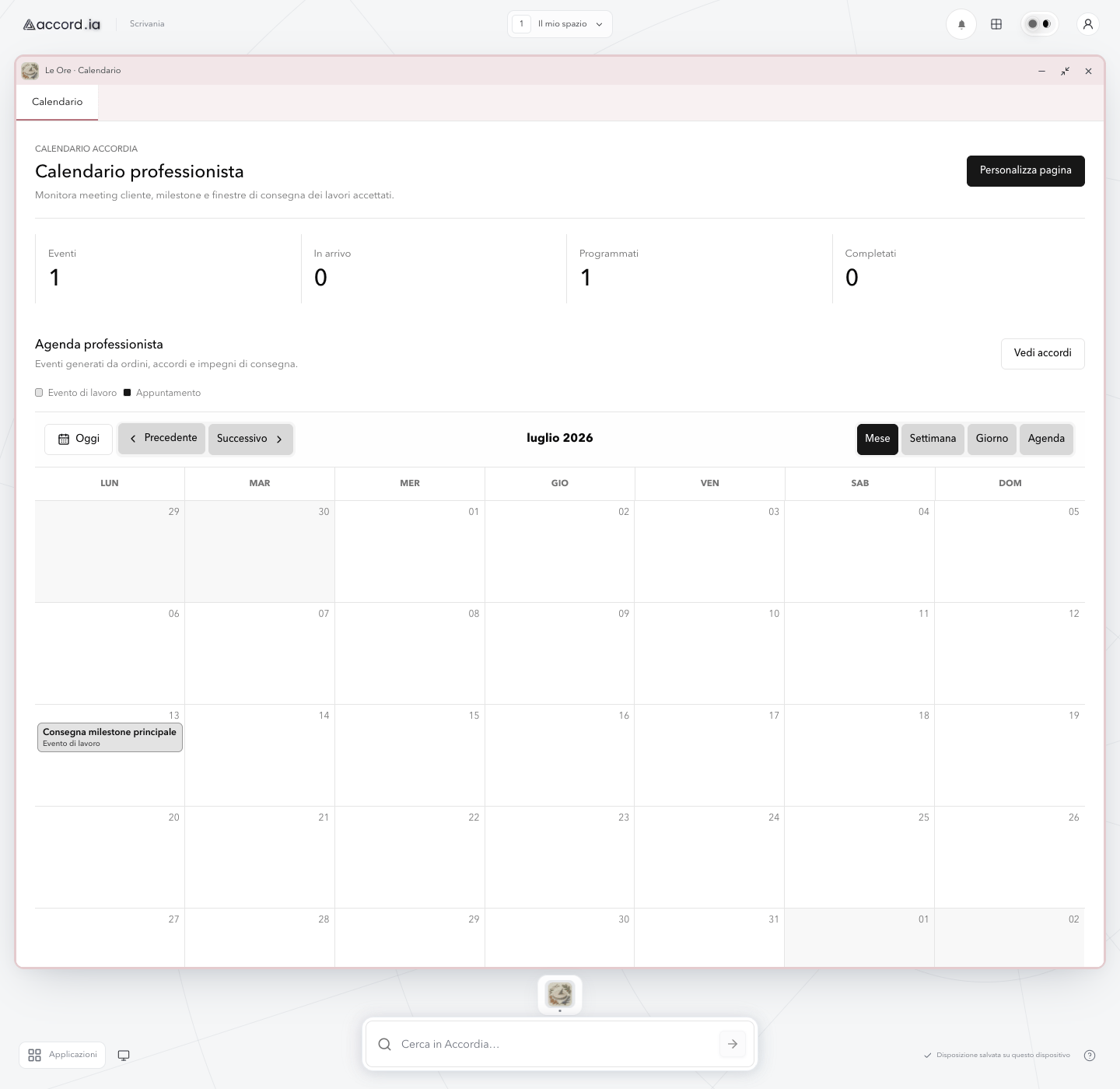
A single monthly agenda brings scheduled work, status totals, and navigation controls into a calm overview.
Real interface · Demo mode
This is a sanitized capture of the real Accord.ia web app in demo mode. It contains no personal data and shows fictional operational information.
Product screen: The professional month, from totals to delivery milestones.
Product overview
A single monthly agenda brings scheduled work, status totals, and navigation controls into a calm overview.
This real demo screen gives professionals a broad view of their month. It keeps the headline numbers close to the calendar and makes work events visible alongside appointments.
Continue in the product overviewWhat you can see
The functions shown in this screen
- 01
Monthly status totals
Cards summarise the events that are arriving, scheduled, and completed before the user enters the calendar grid.
- 02
Flexible agenda views
Month, week, day, and agenda controls support a broad overview or a more focused reading of time.
- 03
Direct calendar navigation
Today, previous, and next controls make it clear which period is being reviewed.
- 04
Work events in the month
A labelled delivery milestone appears directly in the calendar and remains distinct from appointments through the legend.
Three-step flow
How this part of the experience works
- 01
Read the month’s headline totals
Start with the event counters to understand what is scheduled and what has already been completed.
- 02
Choose the most useful view
Move between month, week, day, or agenda and navigate to the period you want to inspect.
- 03
Locate the relevant work event
Use the grid and legend to find a milestone or appointment and continue to its detail when needed.
Practical value
Why this view is useful
Fast orientation
Totals and calendar controls give the professional an immediate starting point for reviewing the month.
Work remains visible over time
Delivery milestones sit in the same timeline used to understand the rest of the agenda.
One view, different levels of detail
The professional can start broadly and move to a narrower agenda without leaving the calendar area.
Accord.ia Calendar
Explore the calendar beyond the monthly view.
See how appointments and delivery commitments fit into the wider professional workflow.