
Real interface · Demo mode
A weekly view that keeps every commitment in context.
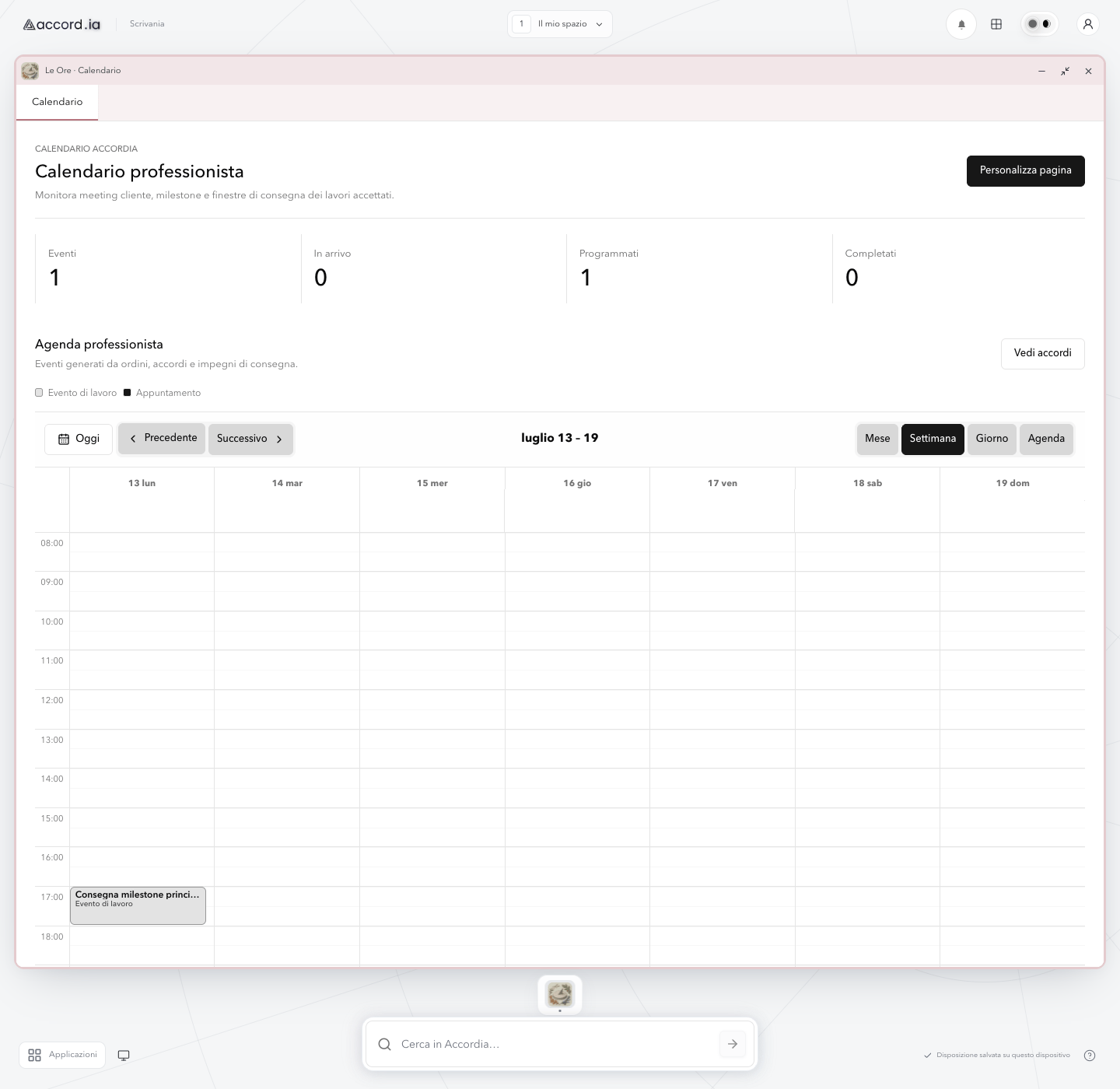
The weekly agenda places delivery milestones in their time slots, with navigation and event counters inside the new desktop.
Real interface · Demo mode
This is a capture of the current Accord.ia web app in demo mode. Calendar events and work data are fictional; no customer information is shown.
Product screen: A weekly view that keeps every commitment in context.
Product overview
The weekly agenda places delivery milestones in their time slots, with navigation and event counters inside the new desktop.
This capture of the current web app shows how a professional can scan the week, locate a delivery milestone, and switch calendar views without leaving the Le Ore desktop window.
Continue in the product overviewWhat you can see
The functions shown in this screen
- 01
Week, month, and day views
The view controls let the professional move between different time horizons while keeping the same calendar context.
- 02
Delivery milestones in time
A labelled delivery milestone appears in its time slot, making the scheduled work easy to locate within the week.
- 03
A readable hourly agenda
Day columns and hourly rows keep the milestone aligned with its date and time in the weekly agenda.
- 04
Calendar inside the desktop
The Le Ore window keeps calendar controls together inside the new Accord.ia desktop, with the app dock still available.
Three-step flow
How this part of the experience works
- 01
Choose the useful time range
Open the week, month, or day view according to the decision you need to make.
- 02
Read each commitment in context
Use the event label and time slot to locate the delivery milestone within the selected week.
- 03
Check the detail before moving on
Select a milestone to open its detail and review the related work without leaving the calendar.
Practical value
Why this view is useful
Less context switching
The calendar and the work behind each commitment can be read together instead of as unrelated entries.
A clearer weekly picture
Different kinds of work remain distinguishable even when several commitments share the same week.
More informed scheduling
The visible time slots and event labels help the professional compare commitments before choosing the next step.
Accord.ia Calendar
See how the calendar supports the complete work journey.
Explore the calendar overview for capabilities, operating limits, and the path to professional access.